AI
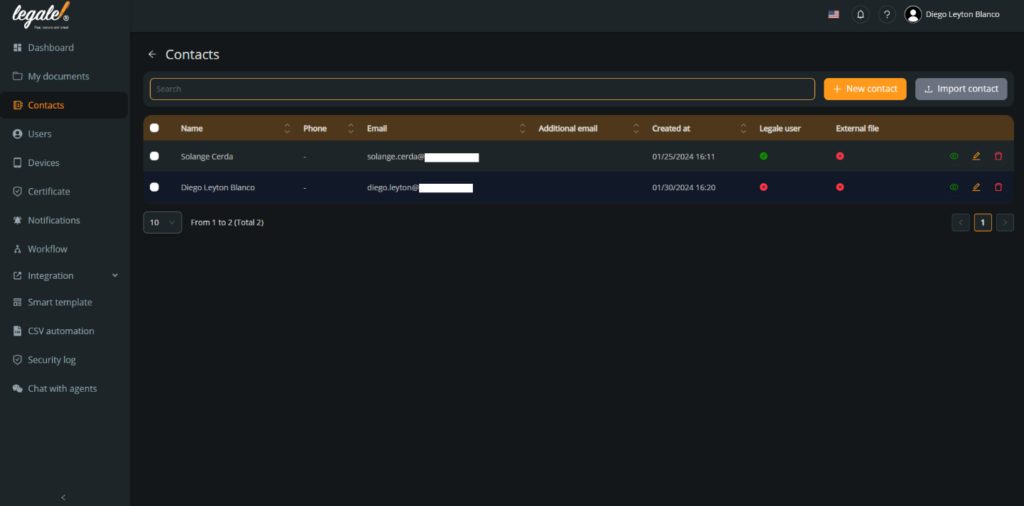
AIThe ability to delete contacts allows you to manage your network efficiently, ensuring that you only keep those with whom you want to maintain a connection with on your list. Through this guide, we will provide you with detailed instructions on how to remove a contact from your account.
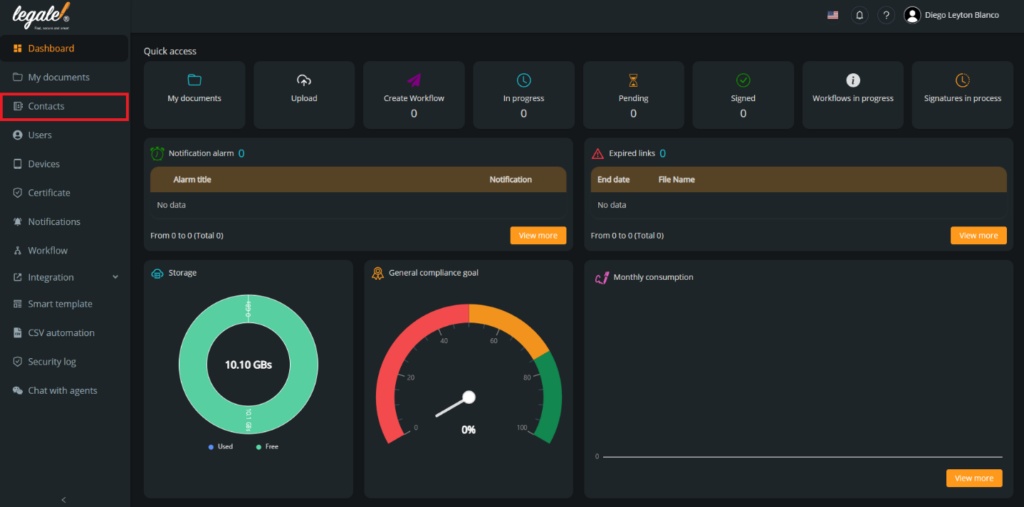
Go to your contacts: The first step is going to your contacts by pressing “Contacts“.
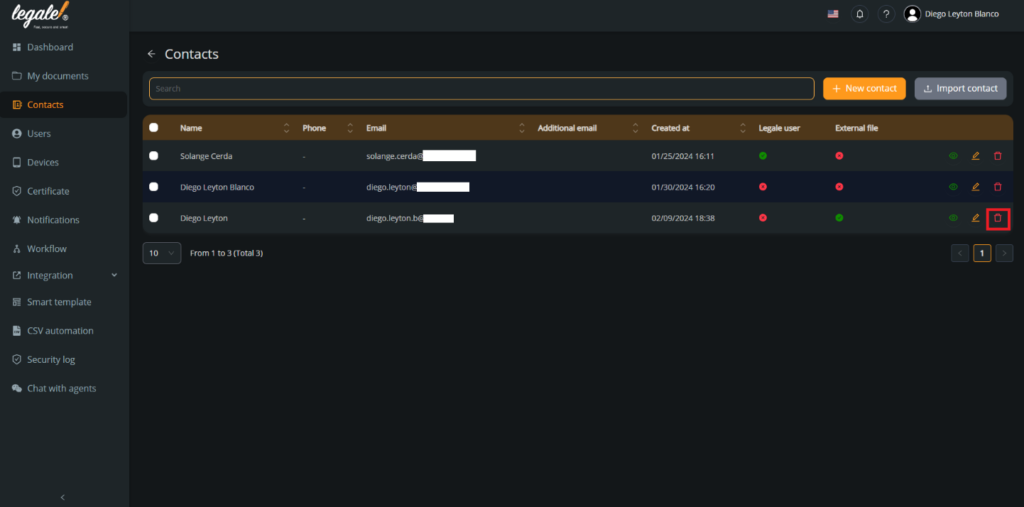
Select the contact: For this documentation, we will remove the contact Diego Leyton, to do that you must press the red trash icon in the right.
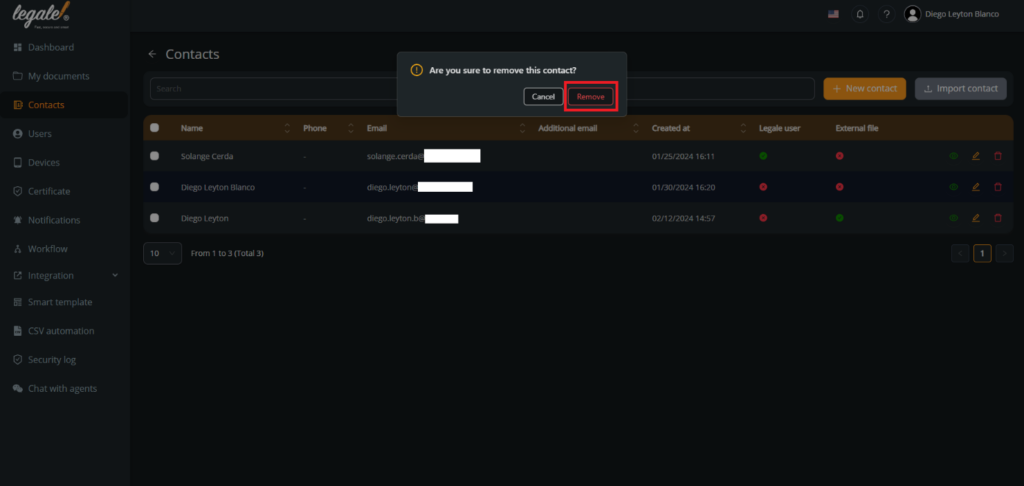
Confirm the selection: To confirm that you want to remove that contact, you must press “Remove“.
Verify the contacts: And automatically the contact that you selected was removed.