

 AI
AI
Finances
Sales and contracts
Human Resources
Legal department
Operations
Security
Chilean Labor Department
Digital Signature
The Forms Engine functionality allows users to assign specific variables to different email recipients.
Each recipient receives a form containing only the variables assigned to them. This makes it possible to control which fields each person can view and complete during the form process.
This guide explains how to:
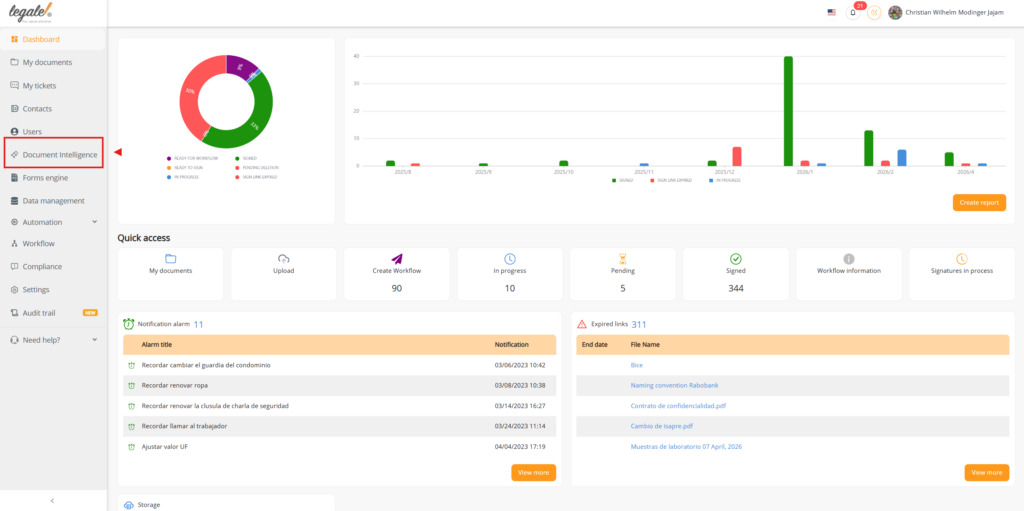
Go to the Smart Documents section in Legale.io.
Select the Smart Document that will be used in the process.
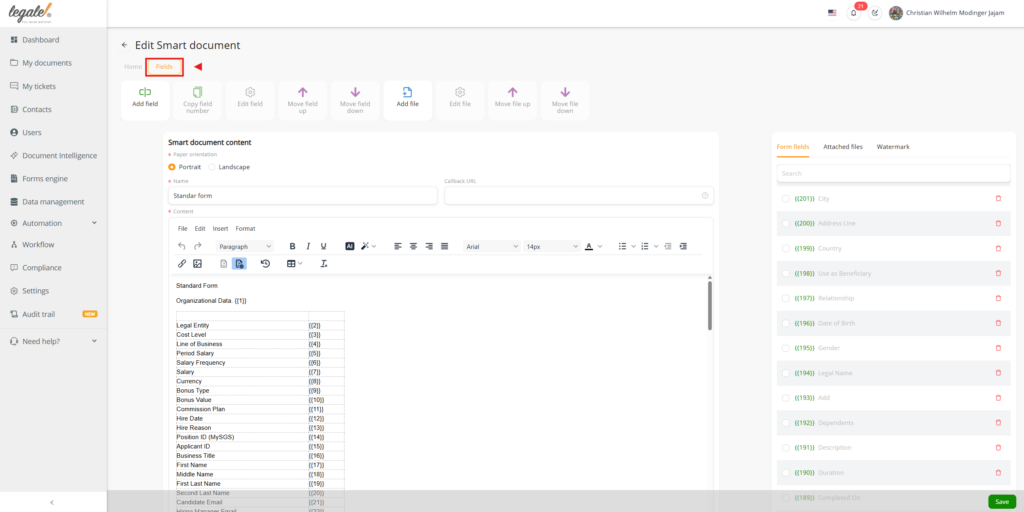
Inside the Smart Document, open the Fields section.
Add the variables that will later be assigned to different recipients through the Forms Engine.
These variables will be used in the form and will be displayed depending on the configuration of each step.
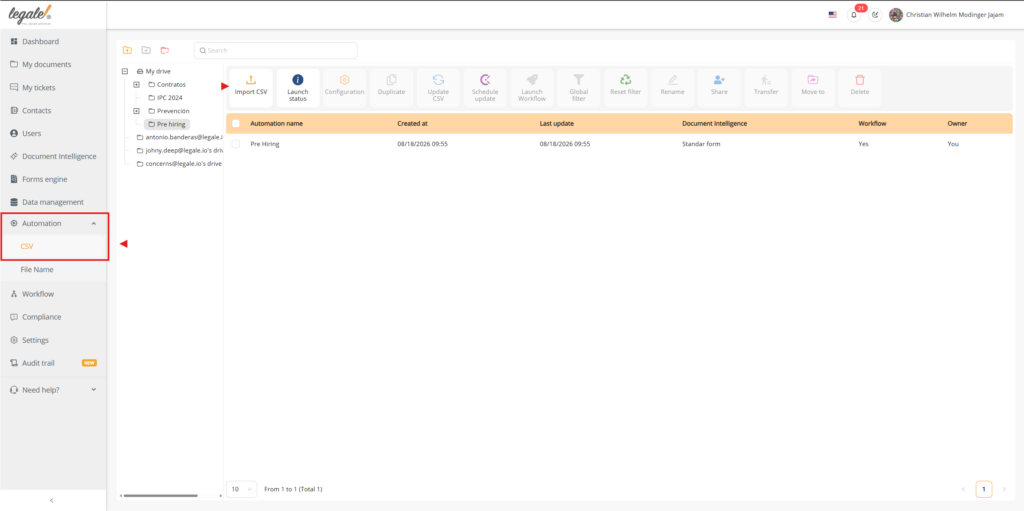
Go to CSV Automation.
Upload the CSV file that contains the information to be associated with the Smart Document.
This file will be used to map the data and launch the workflow.
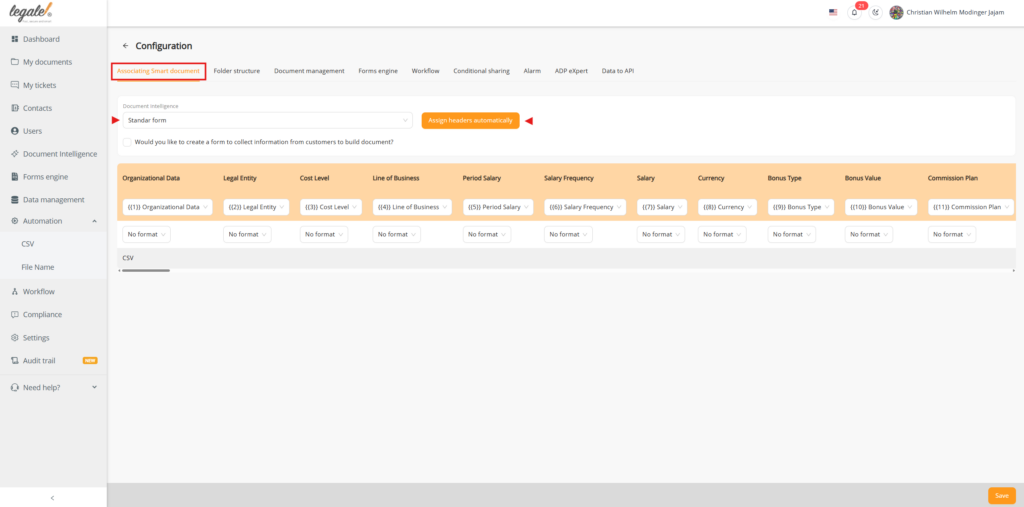
Open the uploaded CSV Automation and enter its configuration.
Associate the corresponding Smart Document.
Then use the option to Automatically Assign Headers so the CSV columns are matched with the Smart Document variables.
Review the assignments and confirm that the variables are mapped correctly.
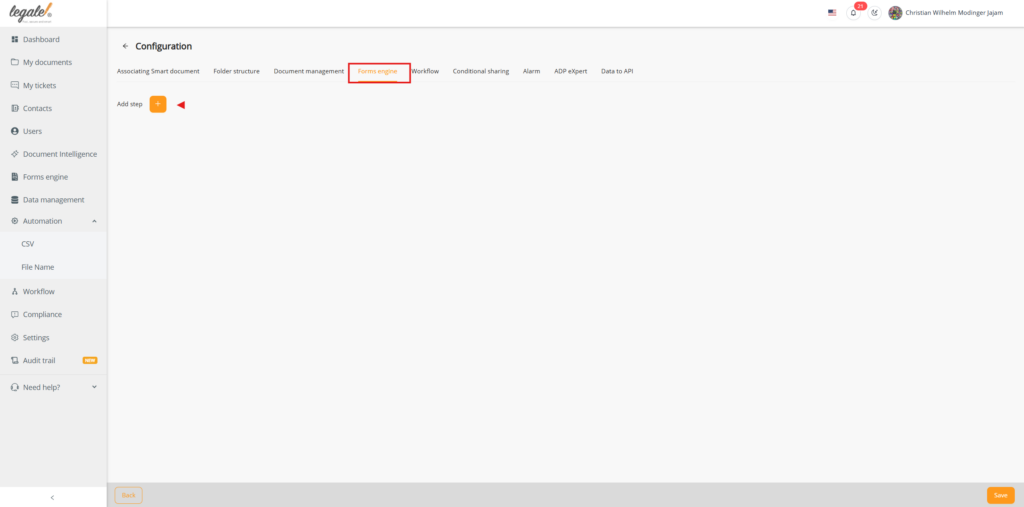
Within the CSV Automation configuration, go to the Forms Engine section.
Click Add Step to create a new step for a recipient.
This section allows you to define which variables will be shown to each email address.
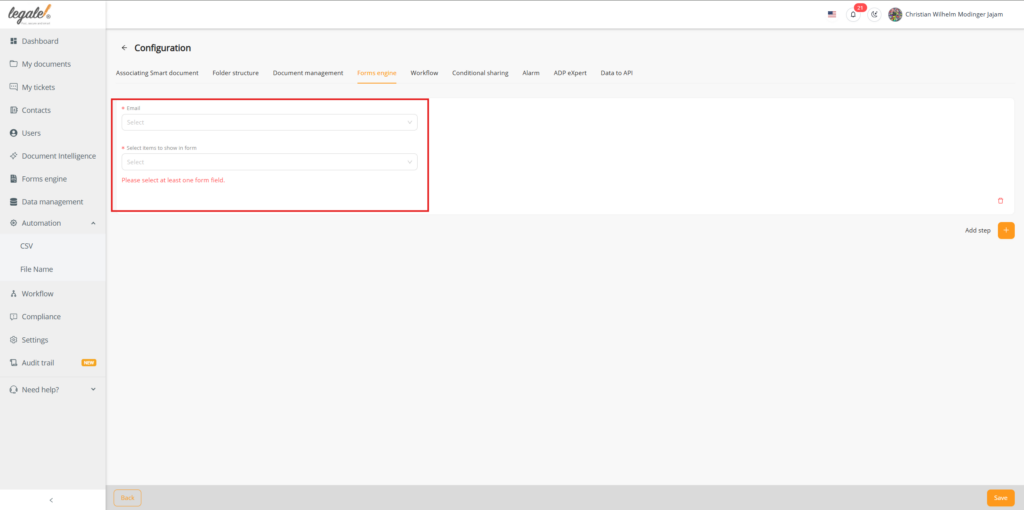
A new window will open.
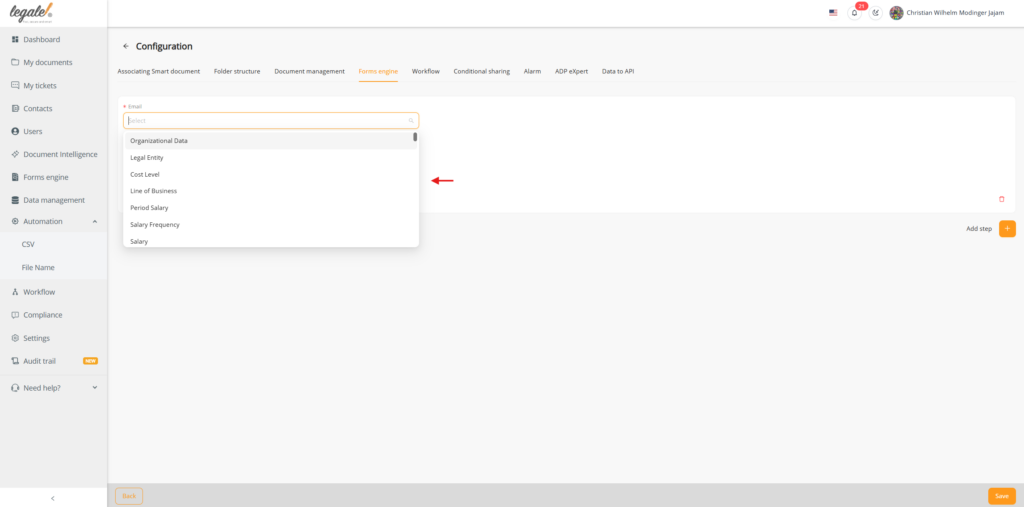
Select the email address for the recipient who will receive the form.
At this step, you can begin configuring which fields or items will be available to that recipient.
The available variables from the Smart Document will be displayed.
Select the variables that should be visible to the chosen email recipient.
You can add the variables one by one according to the information that this recipient must review or complete in the form.
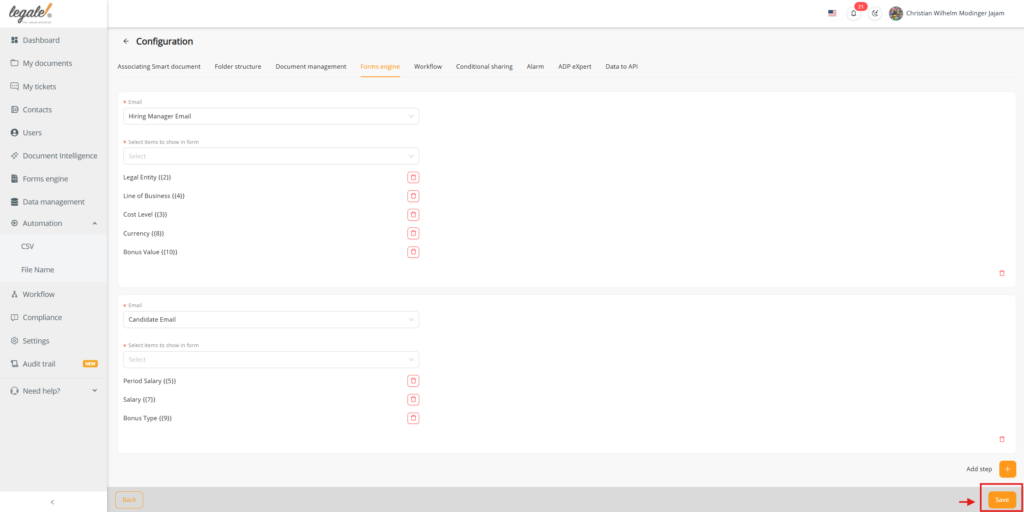
Repeat the process to add more recipients if needed.
Each email address can have its own step and its own variable selection.
For example, two different recipients can be configured with different sets of variables, allowing each person to receive a different form according to their role.
After completing the Forms Engine configuration, return to the selected CSV Automation.
Review the configuration to confirm that the Smart Document, headers, and Forms Engine steps are correctly set up.
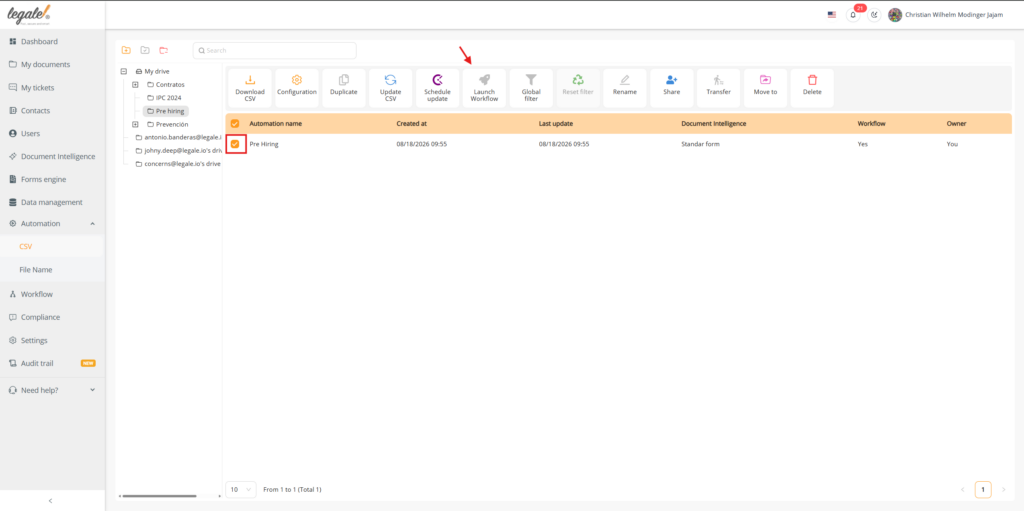
Once the configuration is complete, click Launch Workflow.
The workflow will begin processing and the forms will be sent to the configured recipients.
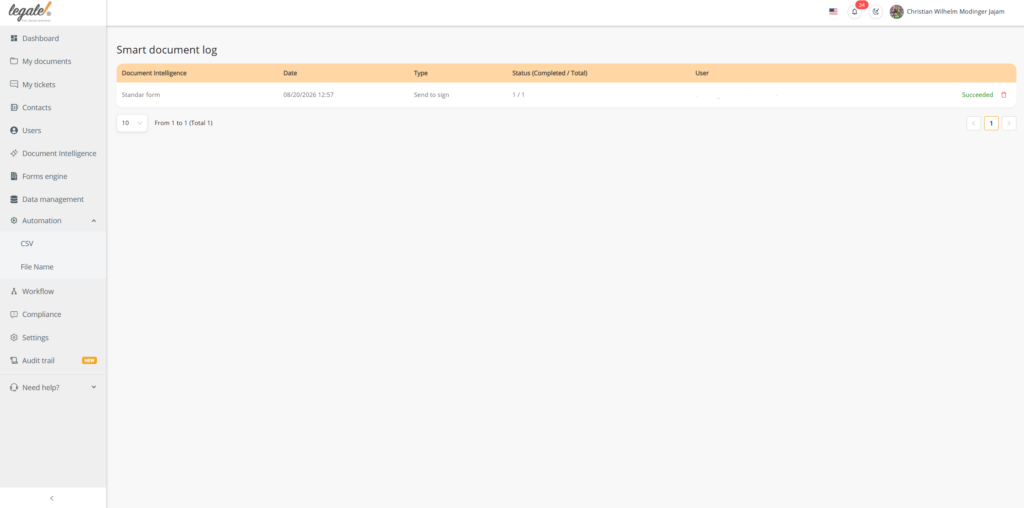
Wait for the workflow to complete its sending process.
Once the process finishes, the configured recipients will receive an email notification inviting them to complete their corresponding form.
Open the email received by the first recipient.
The email will contain the form link.
When the form is opened, the recipient will only see the variables that were assigned to them in the Forms Engine configuration.
Open the email received by the second recipient.
The second recipient will see a different form if different variables were assigned to them.
This confirms that the Forms Engine correctly distributes the variables according to the selected recipient.
After the configuration is completed:
Before launching the workflow, verify that:
The Forms Engine is especially useful when different participants must complete different parts of the same process, since it allows the form content to be separated by recipient.
AI
Finances
Sales and contracts
Human Resources
Legal department
Operations
Security
Chilean Labor Department
Digital Signature
Use this form to reach our agent quickly. We're here to assist you.
Learn how we handle your information in our Privacy Policy.
Less paperwork. More control.
Move every agreement forward.
Make every employee process simpler.
Clear agreements. Confident decisions.
Keep work moving safely.
Everything you need to work smarter.
Explore how your information is protected.
Guidance for digital employment processes.
Explore signing options and quality standards.