AI
AIEdit document properties
To edit a document’s details, first select the desired file from your list, then click on the Edit button located in the top options bar.
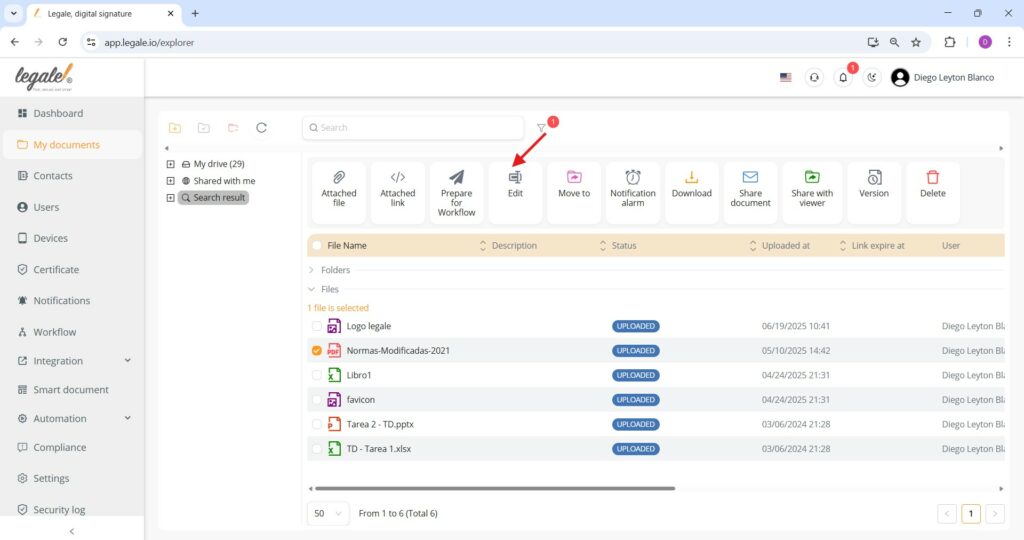
Modify document information
Within the Edit Document panel, you can adjust key attributes such as the subject and file name, and optionally add a description, specify the document type, define a contract end date, or insert additional comments. After making your changes, click the green Submit button to save them.
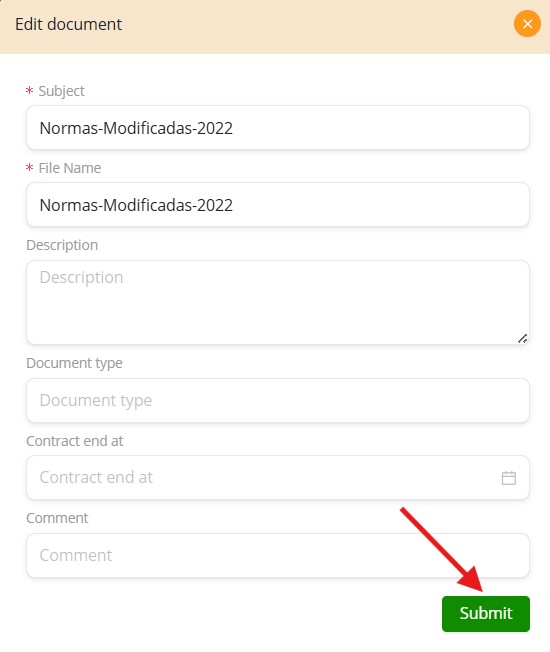
Successful document update
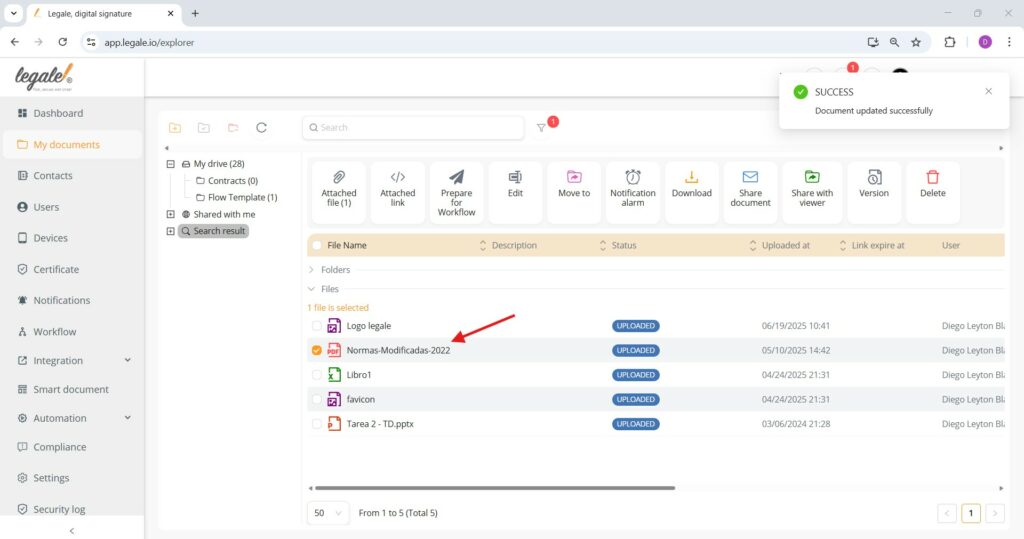
Once you finish editing a document’s properties and click Submit, the changes are immediately applied. You’ll see a green SUCCESS notification at the top right confirming that the update was completed successfully. The updated document now appears in the list with the revised name and associated metadata.