
The Claudia Support Chat allows users to access first-line assistance directly from the platform. Through this chatbot, users can resolve common doubts, access tutorials, and learn about new platform updates without leaving the system.
This feature helps reduce response times and provides immediate guidance for frequent operational tasks.
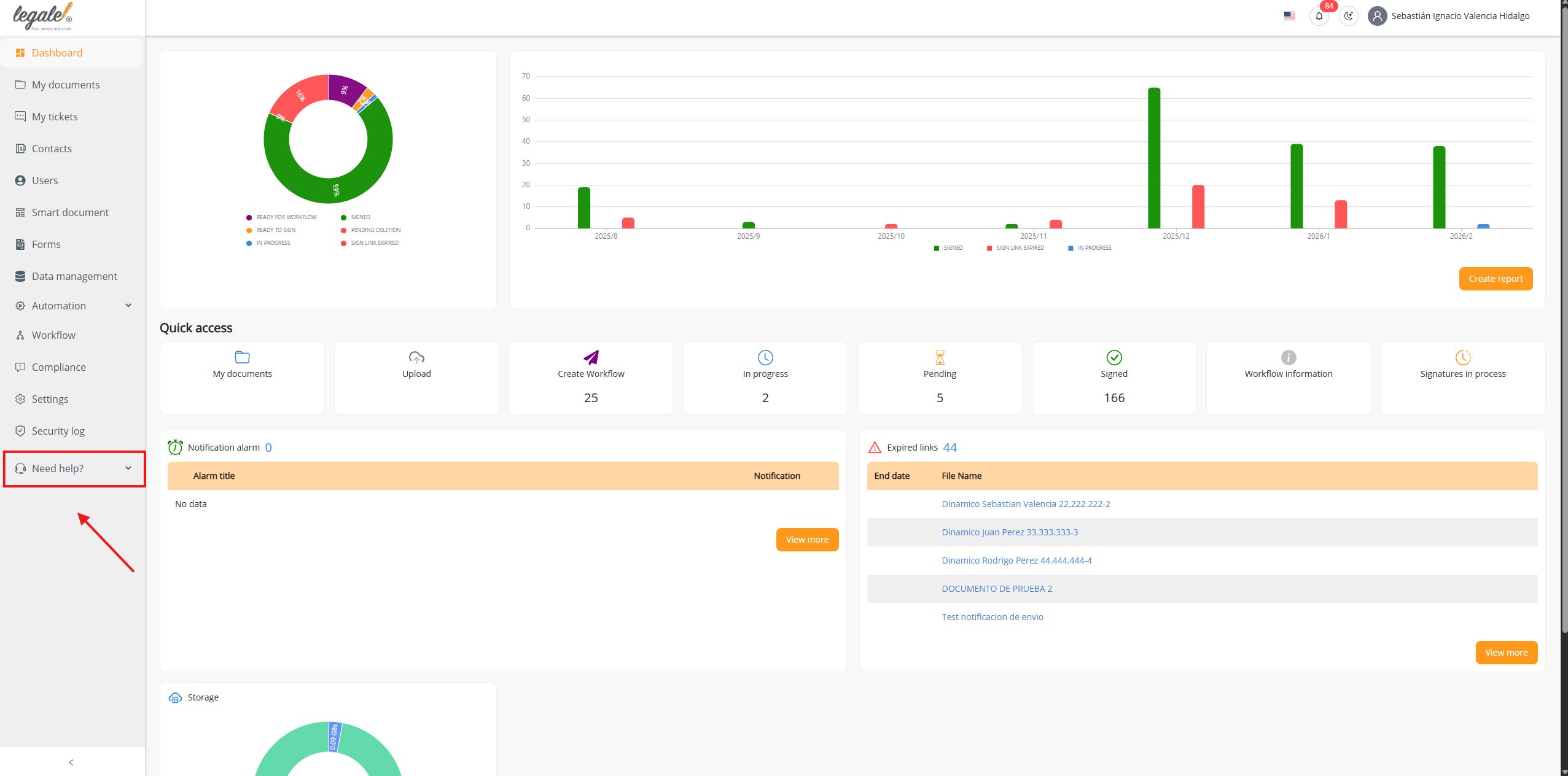
Step 1: Open the Help Menu #
From the Dashboard, locate the left sidebar and click Need help?
This will expand the help options available in the platform.
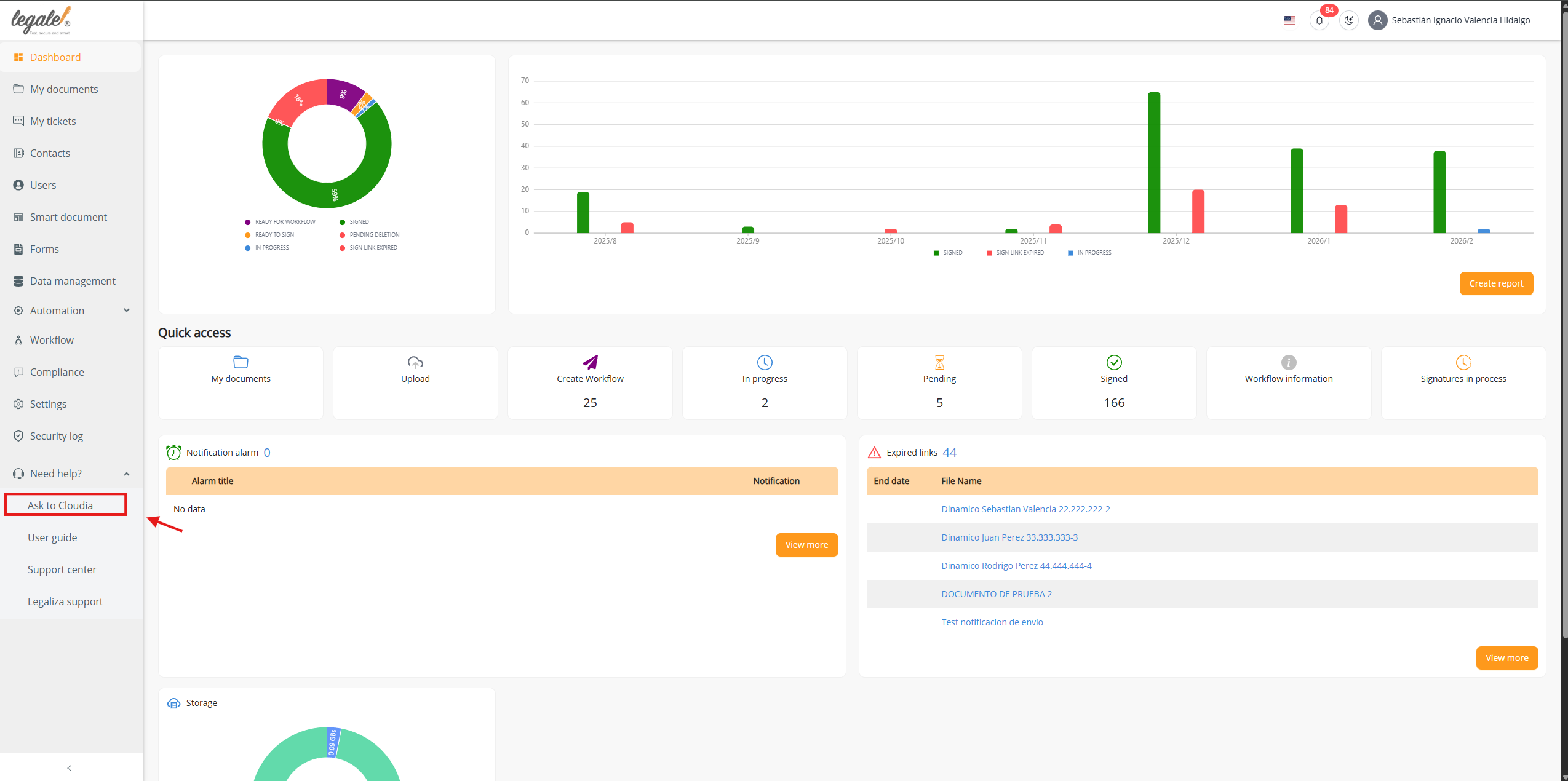
Step 2: Select Ask to Claudia #
Once the help menu expands, click Ask to Claudia.
This option launches the support assistant.
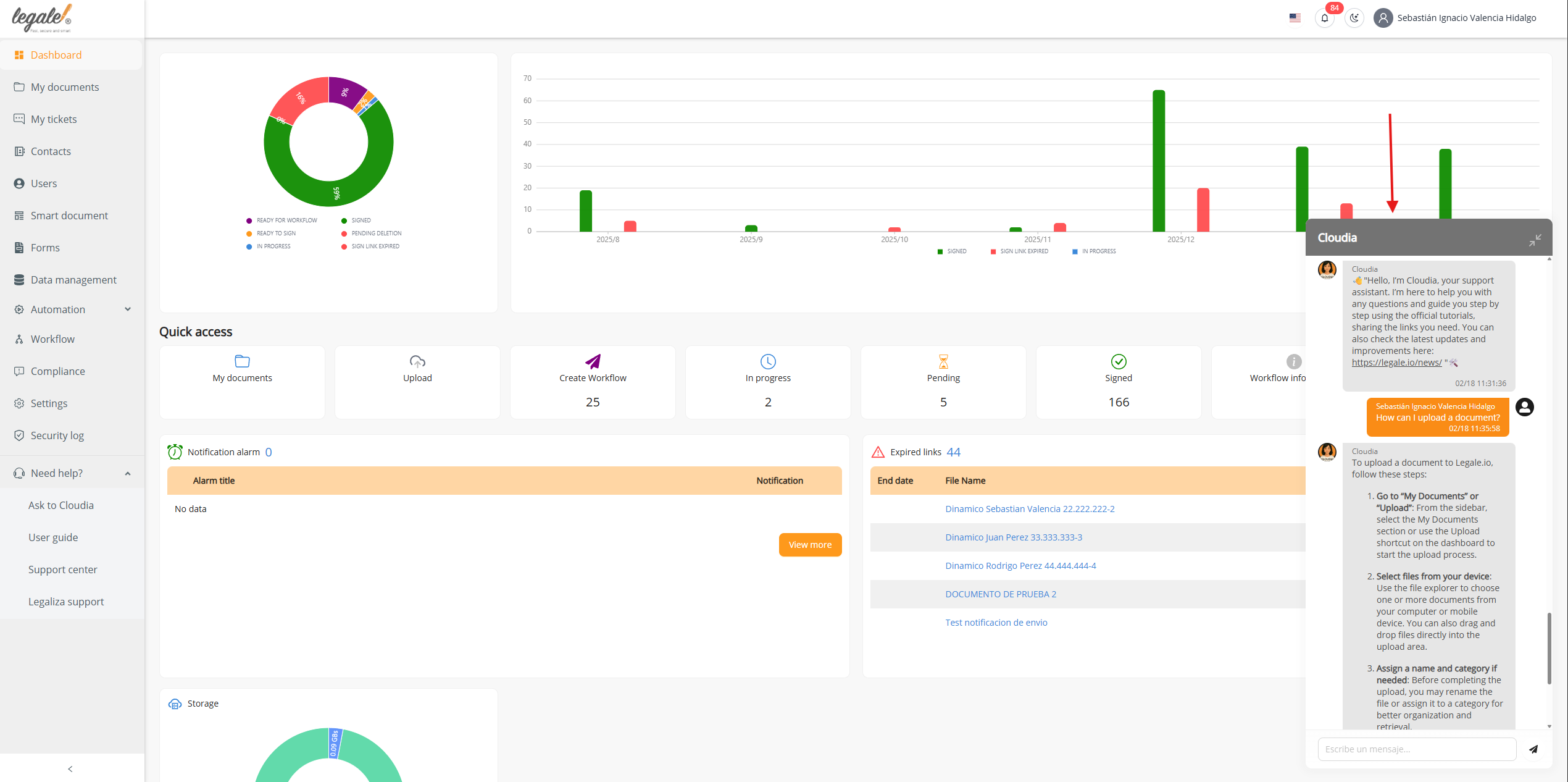
Step 3: Chat Window Opens #
After clicking Ask to Claudia, a chat window will appear on the right side of the screen.
Claudia will automatically greet you and explain that she is the platform’s support assistant.
She may also display:
-
Helpful links
-
Official tutorials
-
Platform news and updates
Step 4: Ask Questions to Claudia #
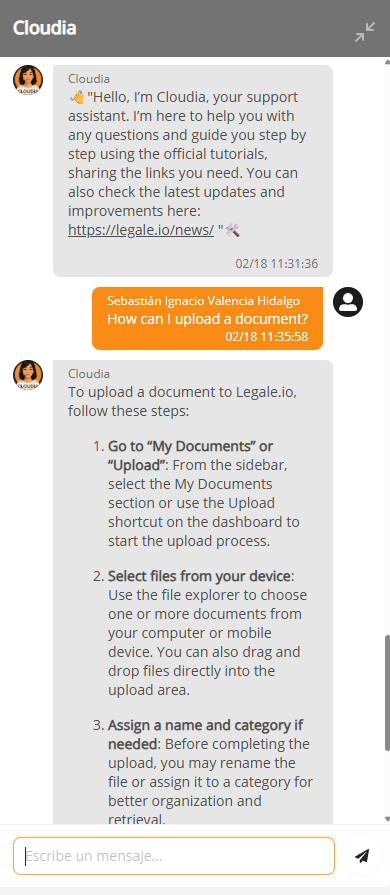
You can now interact with Claudia by typing your question in the chat.
For example, you can ask:
-
How to upload a document
-
How to download a file
-
How to send a document for signature
-
How to delete a contact
-
Any other operational question
Claudia will respond with step-by-step guidance or links to official tutorials.
Completion #
Once the chat is open, you can consult Claudia at any time to receive immediate guidance inside the platform, helping you perform tasks faster and without needing external support.


