AI
AIWhat it is:
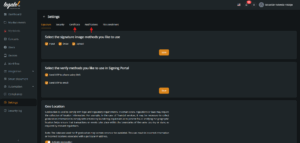
We reorganized the dashboard navigation: Certificate and Notifications, previously listed in the main sidebar, have been moved into Settings. This centralizes configuration, making it easier to find and maintain.
Why it matters
-
Less fragmentation: configuration unified in Settings.
-
Fewer clicks and clearer navigation.
-
Simpler onboarding and support for teams.
How to use
-
Go to Settings → Certificate to manage cloud/local certificates, passwords, and related parameters.
-
Go to Settings → Notifications to define templates, rules, and conditional notifications.
Notes: Access permissions remain the same; only the menu location changed.
Image: